
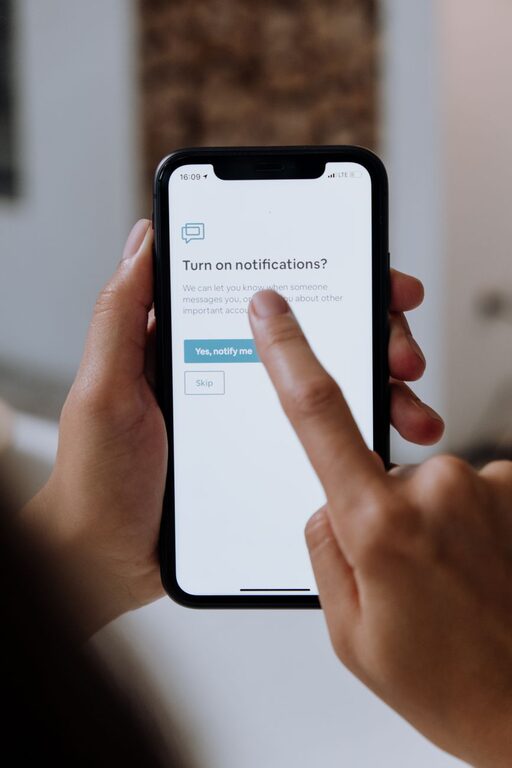
In our hyperconnected world, notifications have become a double-edged sword. On one hand, they keep us informed and connected; on the other, they can interrupt our focus and add to stress. Setting clear boundaries with notifications is key to maintaining productivity and achieving a better work-life balance.
This post will guide you through practical strategies to manage your notifications thoughtfully so you can regain control of your attention and time.
Why Setting Boundaries with Notifications Matters
Notifications can quickly become overwhelming, causing frequent distractions that break your concentration. This “notification overload” leads to reduced productivity, more mistakes, and increased stress levels.
By setting boundaries, you can:
– Minimise interruptions during focused work or personal time
– Prioritise important alerts over trivial updates
– Create dedicated times to check notifications without feeling rushed
– Protect your mental wellbeing by reducing constant digital noise
Assess Your Current Notification Habits
Before making changes, it’s helpful to understand your existing notification patterns.
Reflect on Your Use
Ask yourself:
– How often do I receive notifications each day?
– Which apps or devices send me the most alerts?
– Do I feel anxious or distracted when notifications arrive?
– Are there times when notifications are especially disruptive?
Track Your Notifications
Use built-in screen time or digital wellbeing tools to get detailed reports on your notification frequency. This data provides insight into which apps to prioritise when setting boundaries.
Practical Tips for Setting Boundaries with Notifications
Here are actionable steps to help you regain control:
1. Customize Notification Settings
Dive into your device and app settings to tailor notifications:
– Turn off non-essential alerts like promotional messages or social media likes.
– Use “Do Not Disturb” modes during work hours, meals, or before bedtime.
– Enable “priority only” notifications to receive alerts from important contacts or apps.
2. Schedule Notification-Free Periods
Designate blocks of time when notifications are silenced or limited:
– Use calendar reminders to block “focus time” without interruptions.
– Try techniques like the Pomodoro method, working in focused bursts with notification breaks.
– Inform colleagues or family members about your “offline” periods for better understanding.
3. Consolidate Notifications
Instead of reacting to every alert immediately:
– Check notifications at set intervals, such as mid-morning, after lunch, and late afternoon.
– Use app summaries or “notification digest” features that group alerts into a single summary.
4. Use Different Devices or Accounts for Work and Personal Life
Separating notifications by device or account can reduce unnecessary distractions outside of work hours. For example:
– Turn off work email notifications on your phone after hours.
– Use a dedicated workspace device to help mentally separate work and home environments.
5. Limit App Permissions
Review which apps have permission to send notifications. Revoking access for less important apps reduces noise.
6. Mute Group Chats or Threads Temporarily
Group messages can generate constant notifications. Mute or snooze these during focus times and catch up later.
Tools and Features That Help Manage Notifications
Modern devices offer several options to control notifications more effectively:
– Focus Mode (Android/iOS): Lets you customize which apps and contacts can send alerts during focus periods.
– Notification Summary (iOS): Groups non-urgent notifications at convenient times.
– Do Not Disturb: Temporarily silences all or most notifications.
– Third-party apps: Some apps offer advanced options to schedule or filter notifications.
Explore these features on your devices to find what fits your needs.
Maintain Healthy Notification Habits Over Time
Setting boundaries is not a one-time fix. Here are tips to stay consistent:
– Regularly review and update notification settings as your priorities change.
– Be mindful about installing new apps that may add to notification load.
– Practice patience and remind yourself that it’s okay not to respond immediately.
– Share your notification boundaries with friends and coworkers to foster mutual respect.
Final Thoughts
Notifications are valuable tools when managed wisely. By setting clear boundaries and using device features effectively, you can reduce distractions, improve focus, and enjoy more meaningful time both at work and home.
Start today by assessing your notification habits and experimenting with one or two strategies. Small changes can make a big difference in regaining control over your digital life.
About the Author